

How to Repurpose One Piece of Content Into 10 Marketing Assets | Marketlift
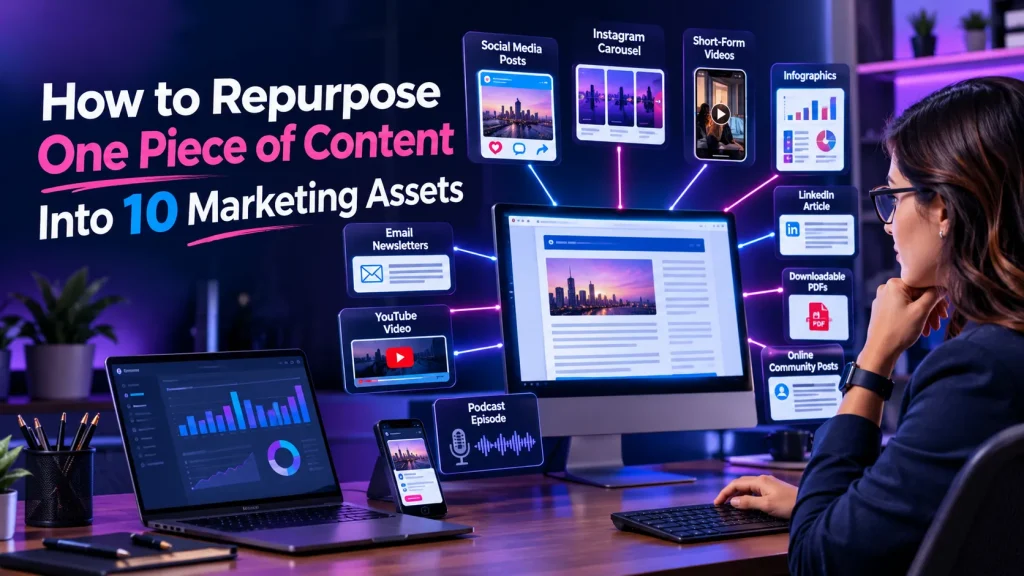
Introduction Creating content every day can be hard, for many businesses. It needs time, creativity and hard work to make blog posts, videos, social media updates and email campaigns. Imagine if you could make marketing pieces from just one piece of content. This is where content repurposing becomes handy. Of always starting over businesses can change existing content into different formats and share it on many marketing channels. For example one blog post can turn into media posts, short videos, email newsletters, infographics and more. This method helps businesses save time reach audiences and keep a steady online presence. In this guide I will show how to turn one piece of content into ten marketing assets and get the value from it with a solid content marketing plan. What Is Content Repurposing? Content repurposing is the process of changing existing content into formats so that it reaches people on many platforms. For example you can turn a blog post into an Instagram carousel, a YouTube video, a LinkedIn post or an email newsletter. The main goal is to share the useful information in many ways while fitting it to each platforms audience and style. Why Does Content Repurposing Matter? 1. Saves time, Lowers content creation costs. 2. Expands the brands visibility. 3. Reaches people on platforms. 4. Improves marketing efficiency. 5. Extends the life of content. How to Repurpose One Piece of Content Into 10 Marketing Assets Lets take one example: a blog post titled “10 Digital Marketing Strategies for Businesses.” You can transform this resource into ten different marketing assets. 1. Create Social Media Posts Break your content into smaller informative social media posts. Each post can highlight one tip, statistic or takeaway. Share these updates on Instagram, Facebook and LinkedIn. Use engaging captions and relevant hashtags to encourage interaction. 2. Design an Infographic Turn information, statistics or step-by-step instructions into a visually appealing infographic. Infographics make complex information easier to understand and share. Publish them on Pinterest, Instagram and your website to attract attention. 3. Produce Short-Form Videos Convert points from your original content into short videos for Instagram Reels, YouTube Shorts and Facebook Reels. Focus on one idea per video. Add captions, engaging visuals and a clear message to make your videos easier to follow. 4. Create a YouTube Video Expand your content into a detailed YouTube video. Explain the ideas using examples, demonstrations and practical advice. This format helps you connect with people who prefer watching videos of reading lengthy articles. 5. Write an Email Newsletter Turn your content into an informative email newsletter. Highlight the valuable insights and provide a link to the complete blog post. This strategy helps you deliver information directly to subscribers while encouraging website visits. 6. Publish a LinkedIn Article Transform your content into a LinkedIn article. Add industry insights, practical examples and your business perspective. LinkedIn is particularly useful for reaching professionals, entrepreneurs and potential business clients. 7. Create an Instagram Carousel Divide your content into multiple slides. Each slide should explain one idea using text and relevant visuals. Start with an attention-grabbing headline. Finish with a call to action. Carousels can make educational content easier to explore. 8. Develop a Podcast Episode Use your content as the foundation for a podcast discussion. Expand the points share additional examples and discuss common challenges. This helps you reach audiences who prefer listening while working, travelling or relaxing. 9. Answer Questions on Quora and Other Communities Identify questions related to your topic and provide helpful informative answers. You can adapt sections of your content to answer these questions. Include a link to your resource when it genuinely adds value. 10. Create a Downloadable Checklist or PDF Convert your content into a checklist, worksheet or downloadable guide. For example a blog, about marketing strategies could become a small business marketing checklist. This asset can also support lead generation by encouraging visitors to subscribe to your email list. Best Practices for Effective Content Repurposing Repurposing content is more than copying and pasting. Follow these practices to get results: – Choose valuable content:- Begin with blog posts, videos, guides or resources that provide lasting value. – Understand each platform:- Adapt content to fit the audience and format of each channel. – Add fresh information:- Include relevant examples, updated insights and new perspectives. – Maintain brand consistency:- Use consistent messaging, visual identity and tone across platforms. – Track performance:- Monitor engagement, website traffic, shares and conversions to see which formats work best. How Content Repurposing Supports SEO, AEO, and GEO Content repurposing can support search visibility when implemented strategically. SEO (Search Engine Optimization):- Publishing valuable content across platforms can raise brand awareness attract referral traffic and create opportunities to earn quality backlinks. AEO (Answer Engine Optimization):- Convert insights into clear questions and answers. Well‑structured explanations can make information easier for search engines and answer engines to understand. GEO (Generative Engine Optimization):- Provide insights, accurate information clear explanations and useful examples. These qualities help make content more understandable and useful for AI‑generated answers. Remember, publishing content everywhere is not the goal. Focus, on delivering platform‑specific information. Frequently Asked Questions 1. What is content repurposing in digital marketing? Content repurposing means transforming existing content into different formats, such as videos, infographics, social media posts, and newsletters, to reach a wider audience. 2. What are the benefits of repurposing content? It saves time, reduces content creation costs, increases brand visibility, reaches different audiences, and helps businesses maintain consistent marketing activities. 3. Can one blog post be turned into multiple marketing assets? Yes. One blog post can become social media updates, videos, infographics, email newsletters, podcasts, LinkedIn articles, and downloadable resources. 4. Does content repurposing improve SEO? Content repurposing can support SEO by increasing brand exposure, attracting referral traffic, and creating opportunities for quality backlinks. However, results depend on content quality and distribution. 5. How often should businesses repurpose content? Businesses can repurpose valuable content whenever it provides useful information for another platform or audience. Regularly reviewing existing content […]

Mobile-First Marketing: Why Your Business Website Must Work on Every Screen | Marketlift
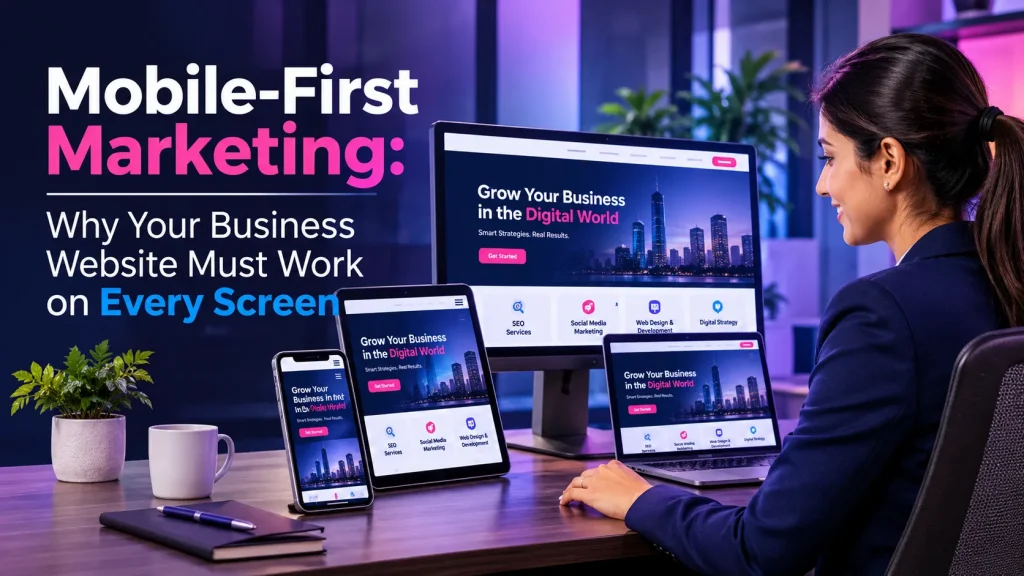
Web Design & Development5 min read Mobile-First Marketing: Why Your Business Website Must Work on Every Screen Think about the last time you searched for a salon, a coaching class, or a plumber. Most likely, you picked up your phone and tapped the first website that opened quickly. Your customers behave the same way, which is why mobile-first marketing now sits at the heart of every smart digital marketing strategy. Today, smartphone users discover businesses, compare services, and make buying decisions on small screens. However, many business websites still look cramped, load slowly, or hide important buttons on mobile. As a result, visitors leave, and enquiries go to competitors. This guide explains how to build a website that works smoothly on smartphones, tablets, laptops, and desktops. Quick answer Mobile-first marketing means planning your website and campaigns for smartphone users first, then expanding the experience for larger screens. In this guide What is mobile-first marketing? Why it matters for your business Essential mobile-friendly features How to make your website mobile-friendly Mobile-first marketing, SEO and growth Frequently asked questions What Is Mobile-First Marketing? Mobile-first marketing is a strategy where you plan your website and campaigns for smartphone users first, then expand the experience for larger screens. In other words, you start with the smallest screen and add features as more space becomes available. This approach connects closely with responsive web design, which lets a page layout adjust automatically to any screen size. Mobile-first is the mindset, while responsive design is the method that puts it into practice. Mobile-first website design simply makes the phone experience the foundation instead of an afterthought. For example, imagine a local coaching institute. Parents usually find it through a phone search. If the course fees, address, and a “Call Now” button appear right away, they can enquire in seconds. If they must pinch and zoom, many will simply try the next institute. Why Is Mobile-First Marketing Important for Your Business? Mobile-first marketing matters because it affects how many people find you, how they feel on your site, and whether they take action. Reach More Potential Customers Customers browse on phones during commutes, breaks, and evenings. A mobile-friendly business website lets you reach them wherever they are. Moreover, a responsive site serves tablet and desktop visitors equally well, so you never lose a visitor because of the device. Improve Website User Experience Good website user experience means visitors find what they need without effort. On mobile, that means readable text, thumb-friendly buttons, and simple menus. When the experience feels easy, people stay longer and explore more. Support Better SEO Performance Google uses mobile-first indexing, which means it mainly looks at the mobile version of your pages to index and rank them. Therefore, content that is missing or hard to use on mobile can hurt your search visibility. Strong mobile SEO starts with a solid mobile site. Generate More Leads and Conversions A phone visitor is often ready to act. Click-to-call buttons, short forms, and WhatsApp links remove friction, so your mobile conversion rate can improve. Conversely, a form that is hard to tap on a small screen sends the lead away. Build Customer Trust and Brand Credibility Overlapping text, broken images, and tiny links make a business look careless. A clean, consistent experience across devices, however, signals professionalism. It builds confidence before anyone speaks to your team. What Are the Essential Features of a Mobile-Friendly Website? A mobile-friendly website combines speed, clarity, and ease of use. These are the features that matter most: 01Responsive website designThe layout adapts to every screen, so one site serves all devices. 02Fast loading speedSlow pages frustrate visitors, so mobile website speed directly affects whether they stay. 03Simple navigationA clear menu helps people reach key pages in a few taps. 04Readable typographyLegible font sizes and strong contrast reduce eye strain and support website accessibility. 05Mobile-friendly buttons and CTAsLarge, well-spaced buttons prevent accidental taps. 06Optimised images and videosCompressed files load faster and use less mobile data. 07Simple contact formsFewer fields lead to more completed enquiries. 08Consistent experience across devicesMatching branding and information everywhere builds trust. How Can You Make Your Business Website Mobile-Friendly? Follow these seven steps to improve mobile website optimisation. Test your website on different screen sizes. Open it on your own phone and tablet, and use the device mode in Chrome DevTools. Look for cut-off text, overlapping elements, and links that are hard to tap. Choose a responsive website design. When building or redesigning, pick a flexible responsive layout rather than a separate mobile site. Professional responsive website development also keeps maintenance simple. Improve website loading speed. Compress images, remove unused scripts, and use reliable hosting. Then run Google PageSpeed Insights to see specific fixes. Simplify website navigation. Limit menu items, and place key actions such as Call and WhatsApp where thumbs reach easily. Optimise website content for mobile readers. Use short paragraphs, clear headings, and descriptive button labels. Make contact forms and buttons easy to use. Ask only for essentials such as name, phone number, and requirement. In addition, use the right keyboard type for phone and email fields. Monitor website performance. Google Search Console shows Core Web Vitals and indexing issues, while Google Analytics 4 reveals how mobile users behave and convert. Review both regularly. How Does Mobile-First Marketing Support SEO and Business Growth? Mobile-first marketing supports SEO because Google’s systems evaluate your mobile pages first. Google now uses mobile-first indexing for the web in general, so the mobile version of your site is the main version it reviews. Responsive design helps here because the same content appears on every device, which avoids mismatches between mobile and desktop. Next, Core Web Vitals measure real user experience through loading (Largest Contentful Paint), responsiveness (Interaction to Next Paint), and visual stability (Cumulative Layout Shift). Google’s page experience guidance encourages good scores, although helpful content remains the most important factor. Better mobile search visibility brings more visitors. When those visitors find a fast, clear site, engagement rises, and more of […]

How to Create a Digital Marketing Budget for a Small Business | Marketlift
<!doctype html> Digital Marketing Strategy How to Create a Digital Marketing Budget for a Small Business By Marketlift7 min readMade for Indian businesses Have you ever paid for ads, seen a few clicks, and wondered where the money went? Many small business owners in India face this problem. Marketing spend often grows without a plan, so results feel random. A digital marketing budget for small business owners solves this. Simply put, there is no single right amount. Start with a monthly figure you can sustain for three to six months. Then divide it across two or three channels linked to your goals. This guide shows you how, step by step. In This Guide What Is a Digital Marketing Budget? Why a Budget Matters How Much Should You Spend? Seven Steps to Build Your Budget A ₹30,000 Budget Example Mistakes to Avoid How to Measure Success Frequently Asked Questions What Is a Digital Marketing Budget? A digital marketing budget is the amount a business plans to spend on online marketing over a set period, usually one month or one year. In other words, it is a spending plan for promoting your business online. The budget usually covers: Paid advertising on Google, Instagram, Facebook, and YouTube. Agency or freelancer fees. Content production, such as blog writing, graphics, and videos. Software tools for email, analytics, and scheduling. Website hosting, design, and improvements. For a small business, every rupee has to work harder. Therefore, a clear budget turns marketing from guesswork into a managed investment. Why Is a Digital Marketing Budget Important for Small Businesses? Without a budget, spending follows impulse. With one, you decide in advance where money goes and why. Here are the main benefits: Better control over expenses: You know your monthly limit, so surprise bills disappear. Improved resource allocation: Money flows to the channels that fit your goals, not to whatever looks popular. More effective lead generation: Focused spending on the right channels brings more relevant enquiries. Better performance tracking: A fixed budget makes it easier to compare results month by month. Sustainable growth: Steady, planned investment beats short bursts of heavy spending. How Much Should a Small Business Spend on Digital Marketing? There is no universal marketing budget. The right amount depends on what you want to achieve and what you can afford to sustain. Several factors shape the number: Business size: A single-shop retailer needs far less than a multi-city service company. Industry: Clicks cost more in competitive fields such as real estate, education, and healthcare. Goals: Brand awareness and direct sales need different levels of investment. Competition: Crowded markets usually raise advertising costs. Growth stage: A new business often spends more on visibility than an established one. It also helps to separate four types of cost. Many owners mix them up, and that makes results hard to judge. The table below shows an illustrative ₹30,000 monthly budget. Cost Type What It Covers Illustrative Amount Advertising spend Money paid to Google or Meta for ads ₹12,000 Agency or freelancer fees Strategy, campaign setup, and management ₹9,000 Content production Blogs, graphics, short videos ₹6,000 Software costs Email platform, design, and scheduling tools ₹3,000 Total ₹30,000 These figures are examples only. They are not industry benchmarks, and your own numbers may differ widely. How to Create a Digital Marketing Budget Step by Step Follow these seven steps to build a budget from scratch. Each step builds on the one before it. 1. Define Your Business and Marketing Goals Start with what you want. Your goal might be more website traffic, stronger brand awareness, more enquiries, qualified leads, or direct sales. Make it specific and measurable. For example, a Pune dental clinic might aim for 30 appointment enquiries per month. That target tells you which channels to fund. 2. Identify Your Target Audience Your audience shapes your costs. Age, location, interests, and online habits all affect which platforms work best. A coaching institute in Lucknow may reach parents on Facebook and Google. A fashion label in Jaipur may find buyers on Instagram. In addition, narrow local targeting often costs less than broad national targeting. 3. Analyse Your Current Marketing Performance Before you plan new spending, review what you already do. Check past campaigns, website analytics, conversion rates, and previous expenses. Google Analytics shows which pages and sources bring visitors. If you have no history, that is fine. Your first few months will simply act as your baseline. 4. Choose the Right Digital Marketing Channels Each channel does a different job. Here is when each one makes sense: Search Engine Optimization (SEO): Helps your website appear in unpaid Google results. It takes time but builds lasting visibility. Invest when you want steady, long-term enquiries. See our SEO services. Google Ads: Places your business in front of people searching right now. It suits businesses that need quick enquiries. Social Media Marketing (SMM): Builds awareness and community on platforms like Instagram and Facebook. It works well for visual or consumer-facing brands. Content Marketing: Uses blogs, videos, and guides to answer customer questions. It supports both SEO and trust. Email Marketing: Keeps past customers and leads engaged at a low cost. Start once you have a list to nurture. Website Development and Optimization: Ensures visitors can easily contact or buy from you. Fix this first if your site is slow or confusing. Organic channels build lasting visibility, while paid channels deliver faster reach. 5. Allocate Your Marketing Budget Now divide your money. The table below uses an illustrative ₹50,000 monthly budget for a business that is also improving its website. Category Share Amount SEO 20% ₹10,000 Google Ads 25% ₹12,500 Social Media Marketing 15% ₹7,500 Content Marketing 10% ₹5,000 Email Marketing 5% ₹2,500 Website improvements 10% ₹5,000 Testing fund 15% ₹7,500 Total 100% ₹50,000 This split is an example. Adjust it to your goals, industry, and stage. 6. Keep a Separate Budget for Testing Set aside part of your budget for experiments. A new ad format, a different audience, or a fresh landing page […]
Remarketing vs Retargeting: How to Reconnect With Potential Customers | Marketlift
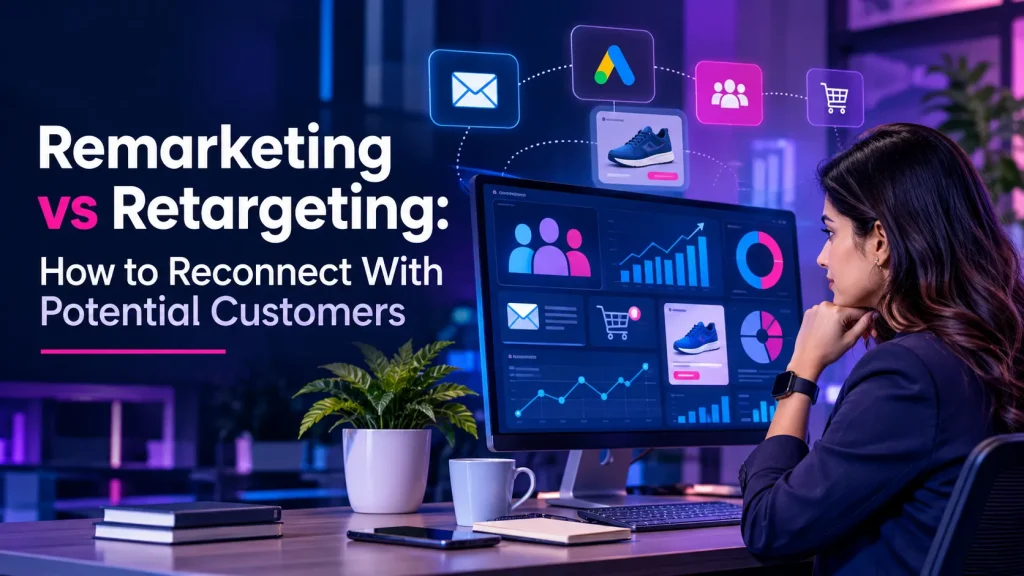
Introduction Have you ever visited a website looked at a product and then seen an ad for that product on another website or on social media? That is a digital marketing technique called retargeting. Many potential customers visit business websites. Do not buy or send an enquiry. That does not always mean they are not interested. They may need information, time or a little push before they decide. This is where remarketing and retargeting become useful. Both tactics help businesses meet back with people raise brand awareness and push for sales. What is the difference between remarketing and retargeting? Let us see how they work and which one can help your business grow. What is Re-Marketing? Remarketing is a marketing tactic that brings back businesses to people who have already interacted with their brand. It often uses email marketing to reach customers or people who have shown interest in certain products or services. For example imagine someone puts a product in a shopping cart but does not finish the purchase. A business can send a reminder email that highlights the product and encourages the person to return. Benefits of Remarketing:- – Encourages repeat purchases from existing customers. – Builds customer relationships. – Promotes special offers and new products. – Recovers abandoned shopping carts. – Improves customer engagement and loyalty. What is Retargeting? Retargeting is an advertising tactic that shows targeted ads to people who have previously visited a website or interacted with a business online. It usually uses browser cookies, tracking technologies or platform‑based audience data depending on permissions and privacy settings. For example someone visits a clothing store and looks at a pair of shoes. Later that person may see ads showing shoes while browsing Instagram or other websites. Benefits of Retargeting:- – Reminds visitors about products and services. – Increases brand visibility across platforms. – Brings interested visitors back, to your website. – Encourages potential customers to complete purchases. – Supports better use of advertising budgets. Remarketing vs Retargeting: Key Differences Although both strategies aim to reconnect with potential customers, their methods and communication channels can differ. Comparison Remarketing Retargeting Main approach Email-based communication Online advertising Target audience Existing customers and interested users Previous website visitors and engaged audiences Common platforms Email marketing tools Google Ads, Meta Ads Main purpose Customer engagement and retention Bringing visitors back Example Abandoned-cart email Display advertisement In simple terms:- Remarketing generally uses emails to reconnect with audiences, while retargeting primarily uses paid advertisements to reach previous website visitors. However, these terms sometimes overlap, and different marketing platforms use them differently. How Do Remarketing and Retargeting Work? Both strategies follow a customer-focused process. Understanding this process helps businesses create more effective campaigns. 1. Identify Your Audience Start by identifying people who have visited your website, viewed products, subscribed to emails, or interacted with your business. 2. Understand Customer Behaviour Analyze which pages visitors explored, what products they viewed, and where they left the buying process. 3. Create Relevant Campaigns Develop personalized advertisements or email messages based on audience interests and previous interactions. 4. Choose the Right Platforms Use Google Ads, Meta Ads, or email marketing platforms to reach suitable audiences. 5. Track Campaign Performance Monitor clicks, conversions, engagement, and return on advertising spend. Use these insights to improve future campaigns. Best Platforms for Remarketing and Retargeting Choosing suitable platforms is important for reaching potential customers effectively. 1. Google Ads:- Google Ads supports remarketing campaigns through Display, YouTube, and other eligible advertising placements. 2. Facebook and Instagram Ads:- Meta Ads helps businesses reconnect with people who have interacted with their websites, pages, or content. 3. Email Marketing Platforms:- Tools such as Mailchimp and Brevo help businesses send personalized emails, abandoned-cart reminders, and promotional campaigns. 4. YouTube Advertising:- Businesses can reach eligible audiences who previously interacted with their videos or YouTube channel. Which Strategy Should Your Business Choose? The right approach depends on your marketing goals, audience behaviour, and business type. Choose remarketing when you want to: Encourage repeat purchases. Build long-term customer relationships. Promote new products and special offers. Recover abandoned shopping carts. Choose retargeting when you want to: Bring previous website visitors back. Increase product awareness. Generate more enquiries and sales. Encourage visitors to complete purchases. For better results, businesses can combine both strategies. For example, an online store can use retargeting advertisements to reconnect with website visitors and remarketing emails to encourage existing customers to purchase again. Best Practices for Successful Campaigns Follow these practical tips to improve your campaigns: Segment Your Audience:- Create different campaigns for website visitors, existing customers, and abandoned-cart users. Use Relevant Messages:- Show advertisements and send emails based on customer interests. Create Attractive Advertisements:- Use clear headlines, appealing visuals, and strong calls to action. Avoid Excessive Advertising:- Set appropriate frequency limits to prevent audience fatigue. Optimize Landing Pages:- Make sure visitors reach relevant, mobile-friendly pages. Respect User Privacy:- Follow applicable privacy laws, obtain required consent, and provide clear tracking and communication choices. Measure Results:- Regularly evaluate campaign performance and adjust your strategy. Frequently Asked Questions 1. What is the main difference between remarketing and retargeting? Remarketing commonly uses email marketing to reconnect with previous customers, while retargeting primarily uses online advertisements to reach previous website visitors. 2. Is remarketing better than retargeting? Neither strategy is always better. Remarketing supports customer retention, while retargeting helps bring interested visitors back. Your choice depends on your business objectives. 3. Can small businesses use remarketing and retargeting? Yes. Small businesses can use affordable email marketing and targeted advertising campaigns to reconnect with interested audiences and generate more opportunities. 4. Which platforms are best for retargeting? Google Ads and Meta Ads are popular choices. Both offer audience-targeting options that help businesses reconnect with eligible users. 5. How can remarketing increase sales? Remarketing can encourage repeat purchases, remind customers about products, promote relevant offers, and bring interested audiences back to complete their buying decisions. CONCLUSION Remarketing and retargeting are digital marketing strategies that help businesses reconnect with potential customers. Remarketing usually focuses […]

How to Build a Strong Online Brand Identity From Scratch | Marketlift
Launching a business is hard enough without being invisible online. Many new brands start with a logo and a social page, then wonder why nobody remembers them. A strong online brand identity solves that. It is the look, voice, message and experience people associate with your business across your website, social media, search results and reviews. To build one, decide who you serve and what makes you different, then express that consistently through your visuals, website, content and customer service. This guide walks Indian startups, local businesses and freelancers through every step, from positioning and logos to SEO, measurement and mistakes to avoid. What Is an Online Brand Identity? Online brand identity is the combination of visual, verbal and experience-based signals that tell people who your business is on the internet. It includes your logo, brand colours and typography, your brand voice and messaging, your website and social media profiles, and the customer experience and reputation you build through reviews and support. Think of it as your business’s personality, made visible and consistent. Start with strategy: know your audience, your competitors and your positioning. Why Is Online Brand Identity Important? Imagine two coaching centres in the same city. One uses different logos, fonts and promises on every platform. The other looks and sounds the same on its website, Instagram and Google profile. Parents will remember and trust the second one faster. That is the value of brand identity: Recognition:- People spot you quickly in search results and feeds. Trust:- Consistency signals reliability. Differentiation:- You stand apart from similar competitors. Consistent communication:- Your team says the same thing everywhere. Long-term relationships:- Customers return to brands they understand. How to Build an Online Brand Identity: 9 Steps 1. Define Your Purpose, Values and Audience Brand positioning starts with clarity. Write one sentence on why your business exists, choose two or three values, and describe your ideal customer: their city, problem and where they search. Example: a Jaipur handloom seller might target urban buyers who value authentic, ethically made products. 2. Research Competitors and Find Your Unique Value List five competitors and note their messages, visuals and pricing style. Look for gaps. Then complete this line: “We help [audience] achieve [result] without [pain point].” This becomes your unique value proposition. 3. Choose a Memorable Name and Logo Pick a name that is easy to spell and say. Check domain, social handles and trademark availability before committing. Keep the logo simple so it stays readable as a small WhatsApp or Instagram profile picture. Logo, typography and colour palette should work together as one system. 4. Create a Visual Identity and Brand Guidelines Choose two or three brand colours, two fonts and a photo style. Put them, with logo spacing rules, in a short brand style guide. Brand guidelines keep designers, freelancers and staff aligned, which protects brand consistency as you grow. 5. Build a Professional, Mobile-Friendly Website Your website is the centre of your digital branding strategy. Use your brand colours and tone, a clear About page, simple navigation and visible contact options such as click-to-call or WhatsApp. Open the site on a mid-range phone and fix anything slow or hard to tap. Your website should look and feel the same on every screen size. 6. Establish a Consistent Brand Voice Describe your voice in three words, such as friendly, expert and direct. Add a short list of phrases to use and avoid. Decide whether simple English, Hinglish or a regional language suits your audience, then stay consistent. 7. Create Useful, SEO-Friendly Content Answer the questions your customers actually ask through blog posts, service pages and FAQs. Research the search terms they use and write for people first. Local businesses should also complete their Google Business Profile with accurate details. Helpful content builds familiarity, credibility and search visibility over time. 8. Stay Consistent on Social Media and Build Trust Choose one or two platforms where your audience spends time rather than joining everywhere. Use fixed templates, reply to comments and messages, and politely ask happy customers for genuine reviews. Never buy fake ones. A content calendar and reusable templates keep social branding consistent. 9. Measure Brand Performance and Improve Review your results every quarter. Note which content, channels and messages bring the right people, then refine your guidelines. Branding is never finished; it improves with evidence. Common Branding Mistakes to Avoid Changing your look too often Constant redesigns confuse people and weaken recognition. Fix: refresh gradually and keep core elements stable. Copying competitors Look-alike brands are easy to forget. Fix: build around your own unique value. Mixed messages across channels Different promises on each platform erode trust. Fix: keep one message document everyone uses. Ignoring mobile usability A slow or awkward mobile site loses visitors quickly. Fix: test speed and layout on phones regularly. Exaggerated claims and ignored feedback Overpromising and silence on reviews damage credibility. Fix: promise only what you can deliver and respond to reviews. How SEO, AEO and GEO Support Online Branding These three terms are related but not interchangeable. SEO-Search Engine Optimisation Helps relevant audiences discover your useful pages through search engines. AEO-Answer Engine Optimisation Means answering questions clearly and directly so answer-focused search features can understand your content. GEO-Generative Engine Optimisation Focuses on making content clear, credible and easy to understand in AI-generated search experiences. For all three, the foundations are similar: helpful content, accessible pages, credible sources and consistent business information. Google’s own guidance says optimising for its generative AI features is still rooted in SEO fundamentals and does not require special AI files or markup (Google Search Central). No approach guarantees rankings or AI mentions. How to Measure Brand Performance Review brand performance regularly and let the data guide your next move. Track these signals over time: Organic search impressions and clicks Branded search activity (people searching your business name) Website traffic and engagement Social media reach and engagement Qualified leads and conversion rates Genuine customer reviews and referrals Google Search Console […]

How to Analyze Your Competitors’ Digital Marketing Strategies | Marketlift
Introduction In today’s marketplace knowing your competitors is key to business growth. Many businesses spend money on SEO, social media, content marketing and paid ads. They do not always know which tactics their competitors use to attract customers. This is where competitor analysis becomes useful. Analyzing your competitors’ digital marketing strategies helps you spot market chances understand what customers like boost your presence and make smarter marketing choices. Of copying other businesses you can learn from their strengths spot their weaknesses and build a plan that makes your brand stand out. In this guide we will explain how to perform competitor analysis of digital marketing strategies step, by step list the tools you can use and show how to turn your findings into a marketing plan. What Is Competitor Digital Marketing Analysis? Competitor digital marketing analysis is the process of examining how other businesses attract engage and convert customers through channels. It includes evaluating their website, SEO performance, content, social media presence, advertisements and customer engagement. For example a local clothing store might analyze competing stores to discover which keywords they target what content attracts engagement and how they promote offers. The goal is not to copy competitors. Instead it is to understand the market and identify opportunities to improve your digital marketing performance. Why Is Competitor Analysis Important? Competitor analysis helps businesses make marketing choices instead of guessing. It shows what customers like and where your business can do better. Key benefits include:- Discovering opportunities: Find keywords that are not well covered unmet customer needs and areas where content is missing. Improving SEO: See how competitors rank in search and what backlink strategies they use. Creating content: Learn which topics and formats work well and attract your audience. Optimizing advertising: Observe how competitors present their offers and highlight their benefits. Strengthening your brand: Set yourself apart by offering value that others don’t. When done regularly competitor analysis helps you stay ahead by adjusting to shifts, in customer behavior and market changes. 7 Steps to Analyze Your Competitors’ Digital Marketing Strategies 1. Identify Your Main Competitors Begin by finding businesses that reach the audience or offer similar products and services. Your competitors can be ones selling the same things or indirect ones solving the same problems. Search Google using your target keywords. Look at the businesses that appear in the results. Check media platforms and industry directories to find companies that are active in your space. Make a shortlist of three to five businesses. Focus on those that match your target market your location and your business goals. 2. Analyze Their Website and SEO Your competitors’ websites give insight into their marketing efforts. Look at their website structure how fast pages load, how mobile-friendly they are how easy it is to navigate their service pages and how they encourage action. Next examine their search engine optimization. See which keywords they seem to target what topics their blogs. Which pages get the most organic traffic. Tools like Semrush, Ahrefs and Google search results can help you find keyword opportunities and check their backlink profiles. Look for gaps in their content. Where can you provide detail, more usefulness or better local relevance? Use these gaps to create content that better meets what users are searching for. 3. Evaluate Their Content Marketing Content marketing helps businesses educate people build trust and get leads. Look at your competitors’ blogs, guides, videos, case studies and downloadable resources. Ask these questions: – What topics do they write most often? – Are their articles helpful, clear and easy to follow? – Do they include examples, numbers or expert views? – Which content types get the engagement? Find questions your audience has that your competitors don’t answer well. Also look for topics they cover poorly. Create content that offers clearer explanations real solutions and genuine value. 4. Study Their Social Media Presence Social media analysis shows how competitors talk to customers. Check their activity on platforms like Instagram, Facebook, LinkedIn or YouTube. Look at how they post what types of content they share, their brand tone, how they interact with followers and their ad campaigns. Notice which posts get engagement. Don’t judge success by follower numbers. Pay attention to comments, shares, meaningful conversations and clicks to their website. Use these insights to shape your social media plan. Develop content that fits your brand’s personality and speaks directly to your audience. 5. Examine Their Paid Advertising Paid ads show how competitors present their offers and attract customers. Use tools like the Google Ads Transparency Center and Meta Ad Library to see their ads. Look closely at their headlines messaging, ad formats, promotions, landing pages and calls to action. For example a competitor might highlight consultations, special deals or customer reviews. These can inspire ideas for your campaigns. Keep in mind that public ads don’t show performance, budget size or conversion rates. Use this research to form ideas then test your ads and measure real results. 6. Review Customer Feedback and Reputation Customer reviews show what people appreciate and where competitors fall short. Check reviews on Google, industry sites and social media. Look for patterns in feedback about pricing, service quality, delivery time, communication and support. If customers complain about replies you can stand out by offering faster communication. If they say pricing is unclear you can improve by being more transparent. Use feedback ethically. Focus on improving your service not criticizing competitors or making claims without proof. 7. Compare Results. Build an Action Plan Put all your findings into a simple competitor analysis spreadsheet. Compare each business in areas: SEO, website experience, content, social media, advertising and customer reputation. Rank the opportunities based on how value they bring to customers your business goals, your resources and how much impact they could have. For instance if competitors share blogs but have weak local service pages improving your local SEO content could be a smart first step. Turn each insight into an action, with a deadline. Review your progress every […]
The Customer Journey Explained: From First Click to Final Purchase | Marketlift
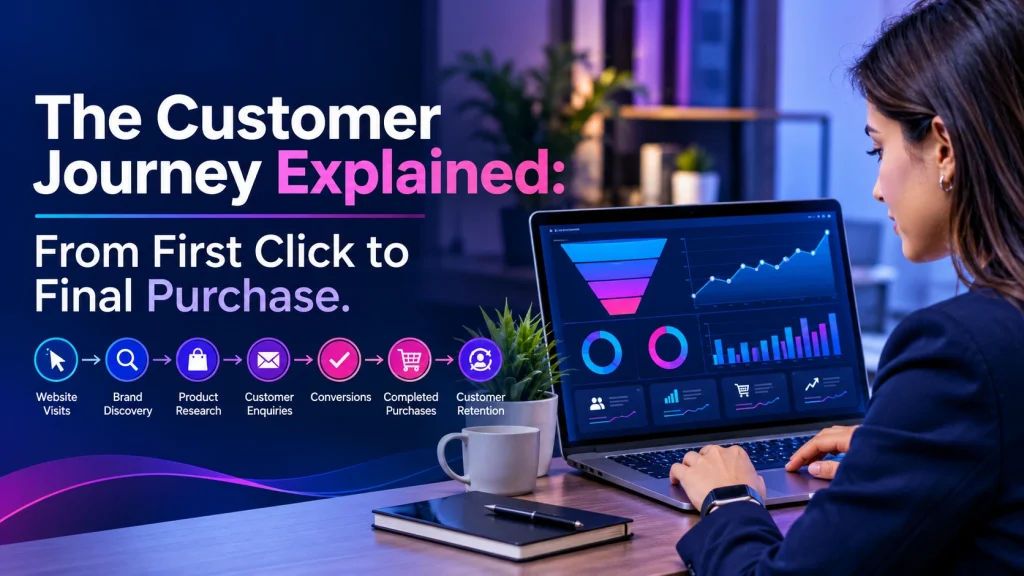
<!doctype html> Digital Marketing Guide The Customer Journey Explained: From First Click to Final Purchase By Marketlift•5 min read•For Indian business owners Picture a bakery owner in Lucknow who posts on Instagram every day. People like the photos, but very few place an order. The cakes are not the problem, though. Somewhere between the first glance and the final order, customers hesitate, compare, or lose their way. That path is the customer journey: the complete series of steps a person takes from discovering your business to buying from you and, ideally, returning. Once you understand it, you can see where interest turns into action and where it quietly disappears. What Is the Customer Journey? The customer journey is the full path a person follows while interacting with your business, from first awareness through purchase and beyond. Each point of contact along the way is a customer touchpoint, such as a Google search result, an Instagram reel, a WhatsApp reply, a service page or a follow-up email. ExampleFor example, A family in Jaipur searches for a wedding photographer. Then they find a portfolio website, watch a few reels and read reviews. Finally, they ask for a quote on WhatsApp and book. Together, these steps form one customer journey. Why Is the Customer Journey Important? Customers rarely buy on first contact. Therefore, mapping the journey helps you see your business through their eyes and fix what stands in the way. Specifically, it helps you: ✓ Improve customer experience by removing confusing steps. ✓ Spot conversion barriers early, for example a slow page or a hidden phone number. ✓ Spend your marketing budget where it matters most, instead of guessing. ✓ Build trust, because consistent and honest information reassures buyers. ✓ Encourage repeat purchases, and then referrals, from happy customers. The Five Stages of the Customer Journey 1Stage one Awareness — The First Discovery People first notice a need, and then they discover your business through search engines, social media, content, advertisements or a friend’s recommendation. For instance, a homeowner in Pune searches “how to choose a modular kitchen” and lands on a helpful guide from a local interior designer. To reach people like her, publish useful content, keep your Google Business Profile accurate, and run social media marketing that explains rather than only sells. 2Stage two Consideration — Evaluating Available Options Next, the customer compares. They read reviews, check examples of your work, study your services and weigh prices. Therefore, make that comparison easy. Write clear service descriptions, show genuine testimonials, answer common questions and explain who your service suits. 3Stage three Decision — Choosing a Business At this point, trust matters most. Transparent pricing or price ranges, visible reviews, clear service details and an easy way to get in touch all reduce doubt. Above all, offer one clear next step, like “Book a call” or “Message us on WhatsApp”. 4Stage four Purchase — Completing the Transaction Even a decided customer can leave if buying feels hard. To reduce friction, use short forms, familiar payment options such as UPI, fast mobile pages and a clear confirmation message. Meanwhile, service businesses can treat a booking or enquiry as the purchase. In that case, a simple form or click-to-chat button on a well-built website is often enough. 5Stage five Retention and Advocacy — Building Long-Term Relationships After the sale, prompt support, helpful follow-ups, consistent quality and fair handling of complaints encourage repeat purchases. As a result, satisfied customers may leave genuine reviews or recommend you to others. Remember: journeys are not always linear. For example, a customer may return to comparing options after a poor delivery, or buy again without reconsidering. Therefore, treat the journey as a loop, not a straight line. How Digital Marketing Improves the Customer Journey Different channels support different stages. However, most businesses need only a few at a time. 🔍 SEO Helps people find you while they search and research. See our SEO services. 🎯 Google Ads Reaches people who are actively searching, so it suits consideration and decision. 📱 Social media marketing Builds awareness and, in addition, keeps audiences engaged. ✍️ Content marketing Answers questions, which then moves people toward a decision. ✉️ Email marketing Nurtures enquiries and encourages repeat purchases. 💻 Website development Is where the journey converts, so speed and clarity matter. At Marketlift, we start by finding where customers drop off. Then we choose channels to fit, rather than adding everything at once. Still, results depend on your audience, competition, offer, website quality and execution. How to Measure Customer Journey Performance To judge progress, track the numbers tied to your goals. Website traffic Shows how many people visit, and where they come from. Click-through rate Measures the share of people who click after seeing your ad or listing. Conversion rate Tracks the share of visitors who enquire, book or buy. Cost per lead Is the average spend to earn one enquiry, so it helps you compare channels. Customer acquisition cost Is the total spend to win one paying customer. Customer retention rate Shows the share of customers who keep buying over a period. However, benchmarks vary widely by industry. Therefore, compare against your own past performance. Frequently Asked Questions (FAQs) What are the five stages of the customer journey? A practical model is awareness, consideration, decision, purchase, and retention and advocacy. However, some frameworks merge decision and purchase or add onboarding, so naming varies. What matters most is knowing what customers need at each point. What is the difference between the customer journey and the sales funnel? A sales funnel shows how prospects move toward a sale from the business’s viewpoint. The customer journey, on the other hand, follows the customer’s experience and touchpoints, and it continues after purchase into retention and advocacy. How can small businesses improve their customer journey? First, list every touchpoint. Next, find where people drop off using analytics and customer feedback. Then fix the biggest barrier, such as a slow page or unclear pricing, and measure the change before […]
Why Your Website Gets Traffic but No Leads: 10 Common Reasons | Marketlift
If your website gets traffic but no leads, the problem is rarely the number of visitors. It is usually a gap between who arrives, what they find and what you ask them to do. Traffic shows that people visited. Leads appear only when the right visitors trust you, understand your offer and can easily contact you. In this guide you will learn ten common reasons for website traffic but no conversions. Each one comes with a realistic example from an Indian business and a practical fix, followed by a simple improvement plan, the conversion-rate formula and answers to common questions. 10 Common Reasons Your Website Gets Traffic but No Leads 1. You Are Attracting the Wrong Audience Visitors are not the same as potential customers. Search intent, the reason behind a search, decides whether someone is ready to enquire. Example:- A Jaipur interior designer ranking for “interior design course” attracts students, not homeowners.Fix Target buyer-focused phrases such as “interior designer for 2BHK flat in Jaipur”, and check your Search Console queries for mismatches. Strong SEO that improves your search visibility starts with the right keywords. 2. Your Website Has a Poor User Experience Confusing menus, cluttered pages and long journeys make visitors give up before they reach your enquiry option. Example:- A Pune accounting firm with 14 menu items may bury its GST filing service three clicks deep.Fix Keep the main menu to five or six items, use clear page headings, and let visitors reach an enquiry option within two clicks. If the structure itself is the problem, professional web development can rebuild it. 3. Your Website Loads Slowly Slow pages lose impatient visitors, especially on mobile data. Google’s web.dev guidance treats a Largest Contentful Paint (LCP), the time the main content takes to appear, of 2.5 seconds or less as “good”. Example:- A Ludhiana garment store with uncompressed product photos can miss that target easily.Fix Compress images, use modern formats such as WebP, remove unused plugins, enable caching, and test your pages with PageSpeed Insights. 4. Your Call-to-Action Is Unclear A call-to-action (CTA) is the button or message that tells visitors what to do next. “Learn more”, or a phone number hidden in the footer, leaves them guessing. Example:- A Lucknow dental clinic could use “Book a Consultation” on every service page, plus a WhatsApp button.Fix Place one primary CTA above the fold and repeat it after key sections. 5. Your Landing Page Does Not Match Search Intent When the promise in an ad or search result does not match the page, visitors leave quickly. Example:- An ad promises “wedding photography packages in Delhi” but lands on a generic homepage.Fix Align the headline, offer and content with the search or advertisement. Build separate landing pages for each main service and city, and keep the message consistent from ad to enquiry form. If you run paid campaigns, careful Google Ads management includes checking where each ad lands. 6. Your Website Does Not Build Trust Many buyers hesitate to enquire with an unfamiliar business. Example:- A Surat web design studio can display real client work, with permission, so visitors see proof of its quality.Fix Show genuine testimonials, real project examples, a physical address, phone number and email, and clear service descriptions. Never publish invented reviews. 7. Your Website Forms Are Too Complicated A ten-field quote form discourages busy owners. Every extra field is one more reason to leave. Example:- A Bengaluru packers-and-movers website needs only a name, phone number, pickup city and moving date.Fix Ask only for essential details, mark required fields, show a confirmation message after submission, and test the form regularly. 8. Your Website Is Not Mobile-Friendly Tiny text, hidden menus and buttons placed too close together cause mistakes on a phone. Check the device report in Google Analytics 4 to see how many of your visitors use mobile. Example:- A Chennai restaurant’s “Reserve a Table” button may be too small to tap comfortably on a phone.Fix Use responsive design, readable font sizes, thumb-friendly buttons and click-to-call links. Test on real mid-range phones, not only your own device. 9. Your Content Does Not Explain Your Value “Quality services at affordable prices” says nothing specific. Visitors want to know why they should choose you. Example:- A Kanpur rooftop solar installer should describe the customer’s problem, such as high electricity bills, then explain the solution, process, warranty terms and what makes the company different.Fix Describe practical outcomes in plain language, without inventing numbers. Helpful content marketing turns your expertise into pages that answer buyer questions. 10. You Are Not Tracking Conversions Without tracking, you are guessing. Google Analytics 4 (GA4) can measure on-site behaviour and the actions you configure, such as form submissions, call clicks and WhatsApp clicks. GA4 calls these “key events”. Google Search Console is different: it reports search performance, such as queries, clicks and impressions. Example:- A Hyderabad coaching center could mark its thank-you page view as a lead event and review it every month.Fix List the actions that count as a lead, set them up as key events in GA4, and review the results monthly. How to Turn Website Traffic into More Leads Fix the biggest barrier first, then improve step by step: 1. Audience and keywords:- Target phrases that show buying intent.2. Usability and mobile:- Simplify navigation and test on real phones.3. Page speed:- Compress images and remove unnecessary scripts.4. Calls to action:- Give each page one clear next step.5. Trust:- Add genuine proof and complete contact details.6. Forms:- Ask only for what you need.7. Tracking and testing:- Measure enquiries and change one element at a time. Website conversion rate formula Conversion Rate = (Number of Conversions ÷ Total Website Visitors) × 100 Example:- If 2,000 people visit your site in a month and 40 submit an enquiry form, your conversion rate is (40 ÷ 2,000) × 100 = 2%. A good target depends on your business, audience and the type of conversion, so compare against your […]